
Your first 15 minutes after install
Get to one finished Training action. Do not decorate the workspace yet.
Why this matters
The website’s job is to get you a build. Desktop’s job is to get you a Session. If you spend the first sitting on theme, indicators, and window tiling, you will close the app with no lesson and a feeling that “it is complicated.” Fifteen minutes is enough if you refuse extra work.
Steps / Checklist
Set a timer for 15 minutes. Stop when it rings, even if you want “one more indicator.”
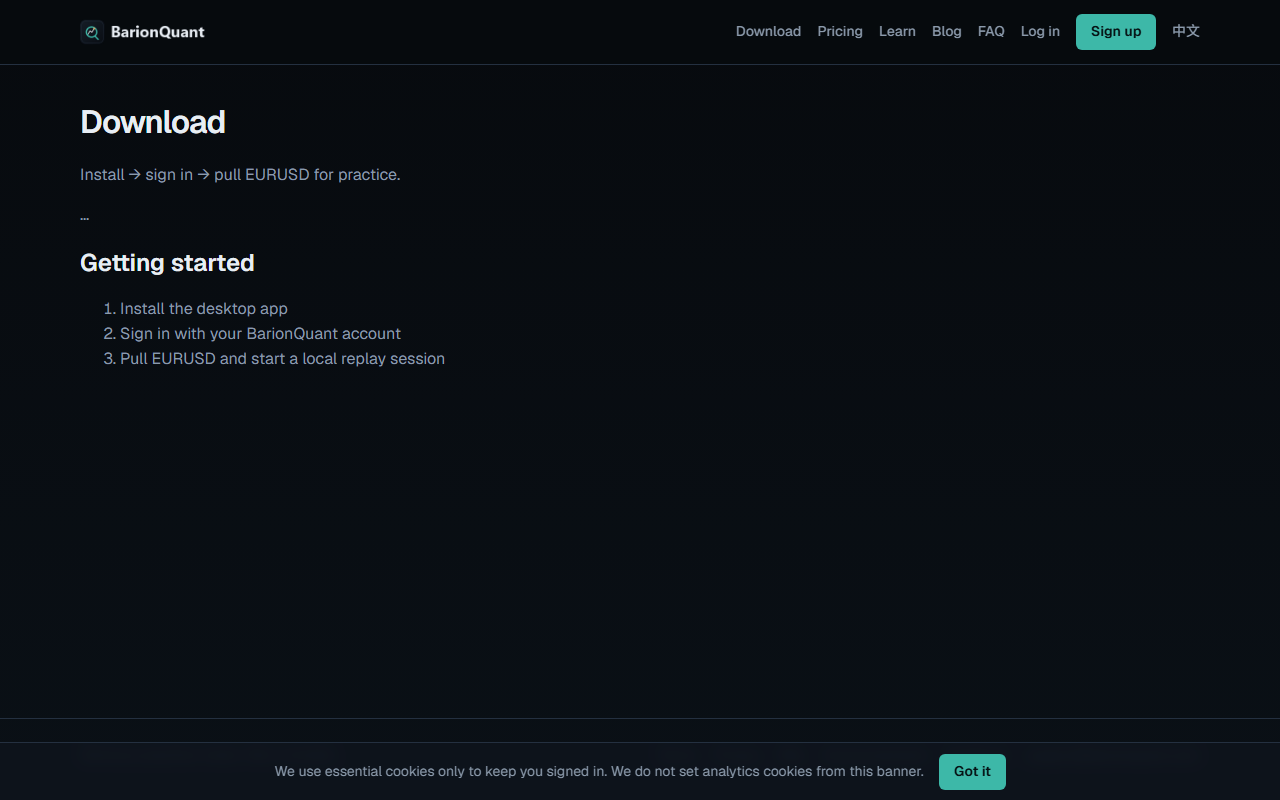
- Open /en/download in the browser. Use the Windows installer the page offers. Do not sideload a random zip from a forum.
- Install, then launch BarionQuant. If the window says the install is damaged or asks you to re-download, stop and get a fresh build from Download. Do not debug random invoke errors in a browser tab — the product is the desktop shell.
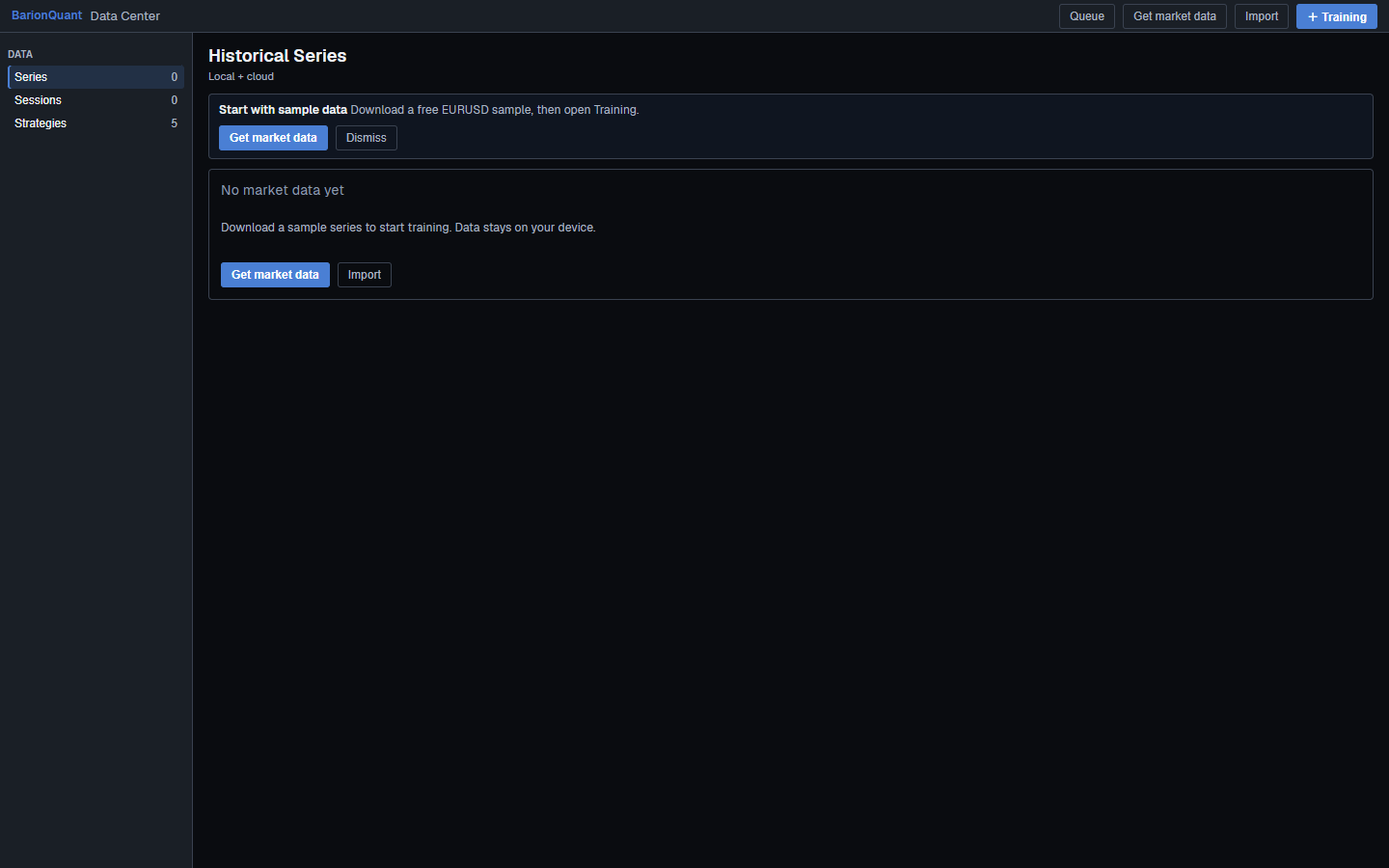
- When the shell opens, find Library (same surface as Data Center / Ctrl+L). English side nav: section Data, then Series, Sessions, Strategies. Empty card title: No market data yet; lead says the sample stays on your device.
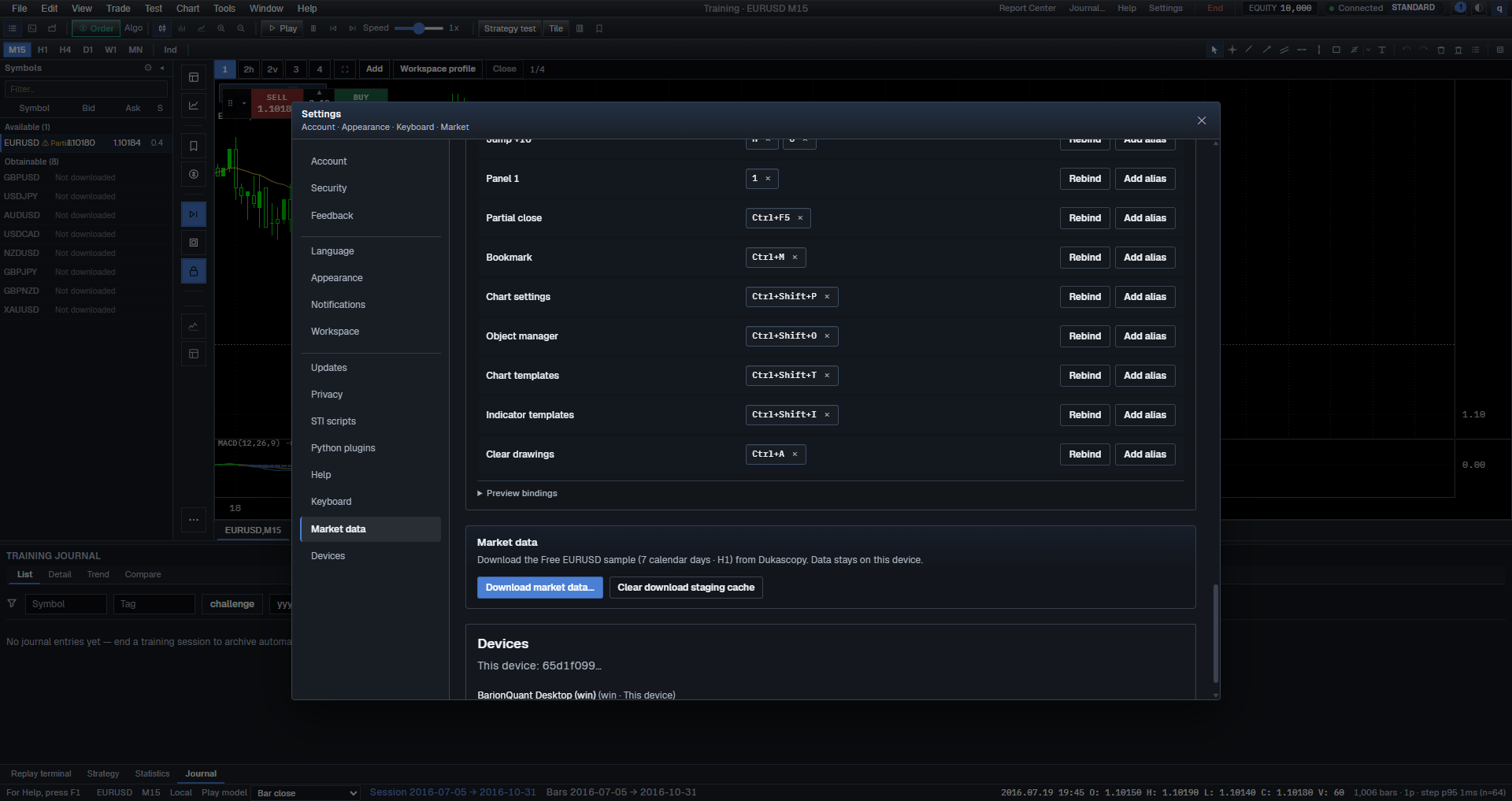
- If you have no data, click Get market data (empty card, first-run banner, and Library header all use this label on 0.1.0). In the dialog, keep the Free EURUSD sample (≤7 days · H1; Online or HistData tab). Wait until the Status column shows Ready (clickable).
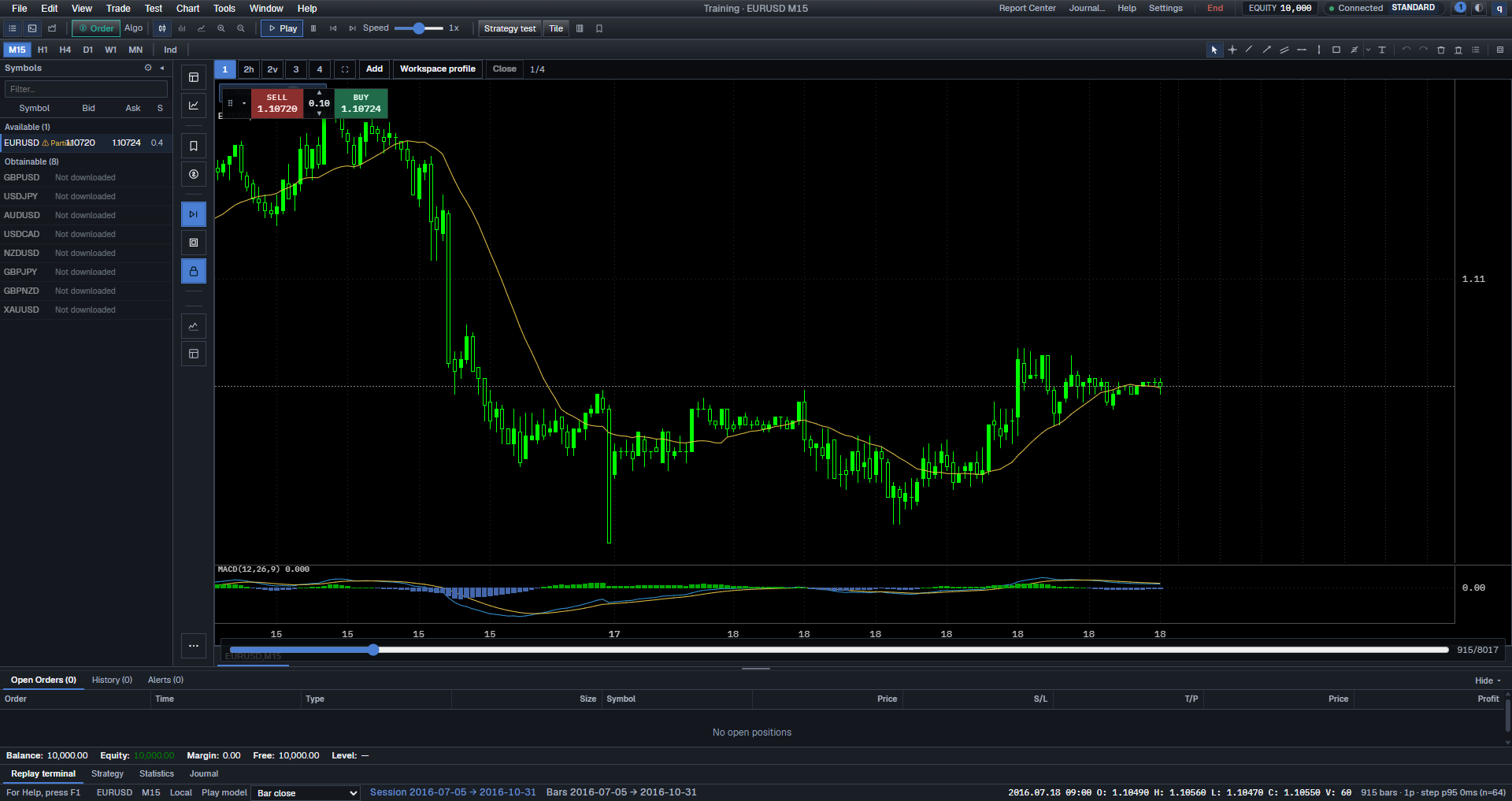
- Start a session with Library header + Training, or File → New Training (Ctrl+N). Toolbar New Training is icon-only (tooltip New Training). Stay in Training. If the title bar still says Training · No session, you are not practicing yet.
- When a chart appears, ignore Indicators / Indicators… for this sitting. Confirm you can see Period and the Replay transport: Play (labeled) plus Pause / Step (icon buttons; aria Pause / Step).
- Press Play for twenty seconds, then Pause. Press Step once. That is the tiny action. If you see Loading chart data…, wait. If you see Cannot open chart, go Back to Data Center and pick the series again.
- End with File → End Training (also under Test). Do not open Trade → New Order (toolbar Order).
- A sitting is finished only when you used one rule from a lesson for the whole session, then filled Went well, Mistakes, and Next plan about that rule. “The software opens” is not finished.
Control labels verified against Desktop 0.1.0 English UI (en-US.json · 2026-09-18). If your build differs, trust the words on screen.
Screenshots
Common mistakes
- Running the Vite URL in Chrome and treating the integrity error dialog as the product. That dialog is a broken host, not a lesson.
- Downloading three symbols before you have finished one session.
- Opening Strategy Tester in the first 15 minutes. Tester is a later tool.
- Changing Theme · Dark / Light instead of finding Sessions.
- Leaving the timer because “I almost had a setup.” Finished means the three lines are about the rule, not one more click.
Next in the handbook
Continue with Workspace layout: chart, list, notes.
Educational training content only. BarionQuant is not a broker and does not provide investment advice. Past practice results do not predict future outcomes.