Open a practice pack and play it yourself
Double-click a .bqproj practice pack. It opens the same setup and you trade it forward from the start.

NEW · Blind session and Binance crypto replay
BarionQuant
A blind session hides the symbol and the calendar. Binance BTC and ETH perpetuals stay on the PC. Sign in for the plan. We are not a broker.
BarionQuant Desktop is a desktop replay and simulation training desk for FX practice. It is not a broker, it does not place live orders for you, and market data stays on your machine.
Soft4FX alternative — leave the MT terminal
New in 0.1.3
Double-click a .bqproj practice pack. It opens the same setup and you trade it forward from the start.
Export a finished session as a short replay clip to review or share.
See four timeframes on one screen. After you close a trade, the review shows its MAE, the furthest the price moved against you.
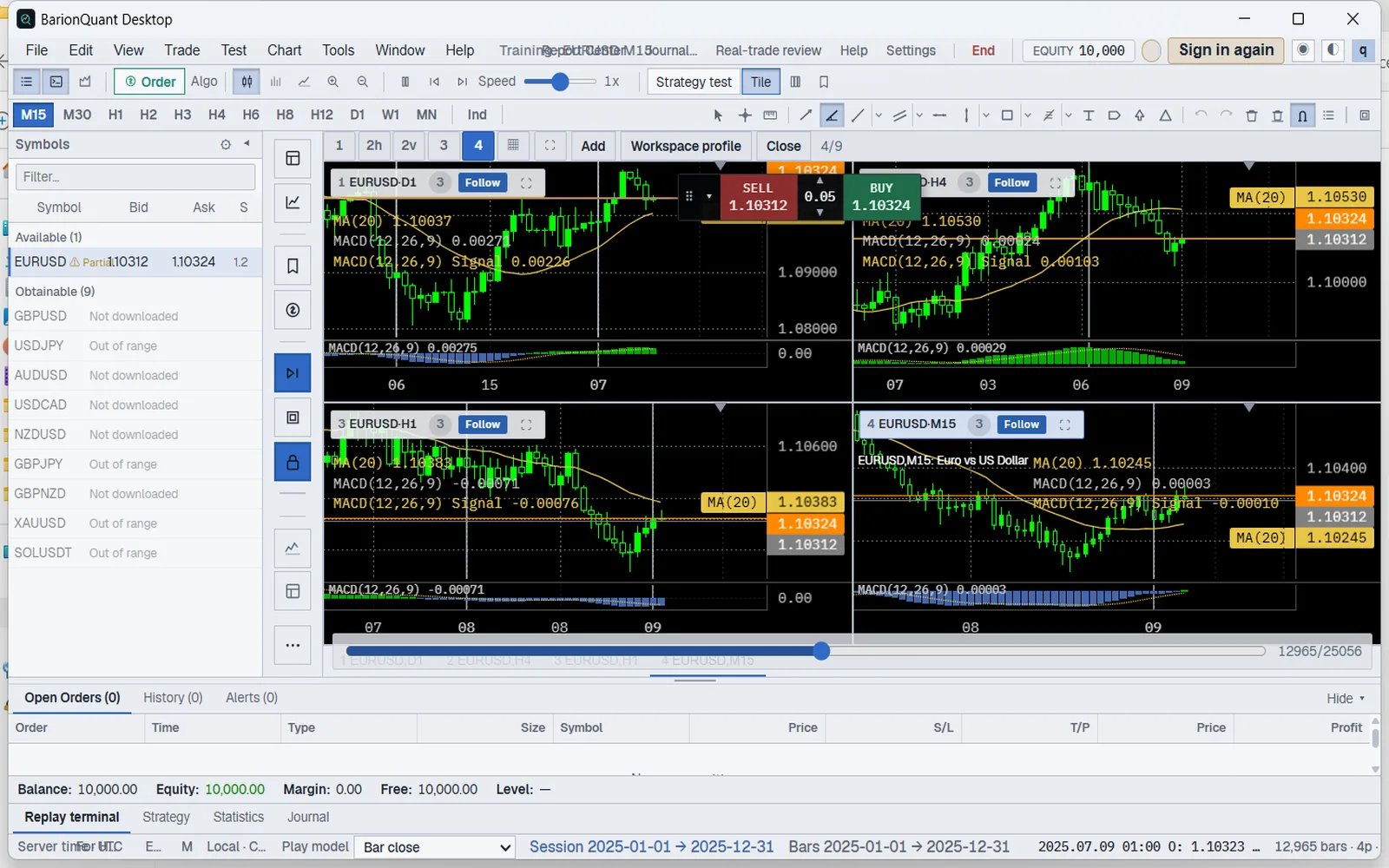
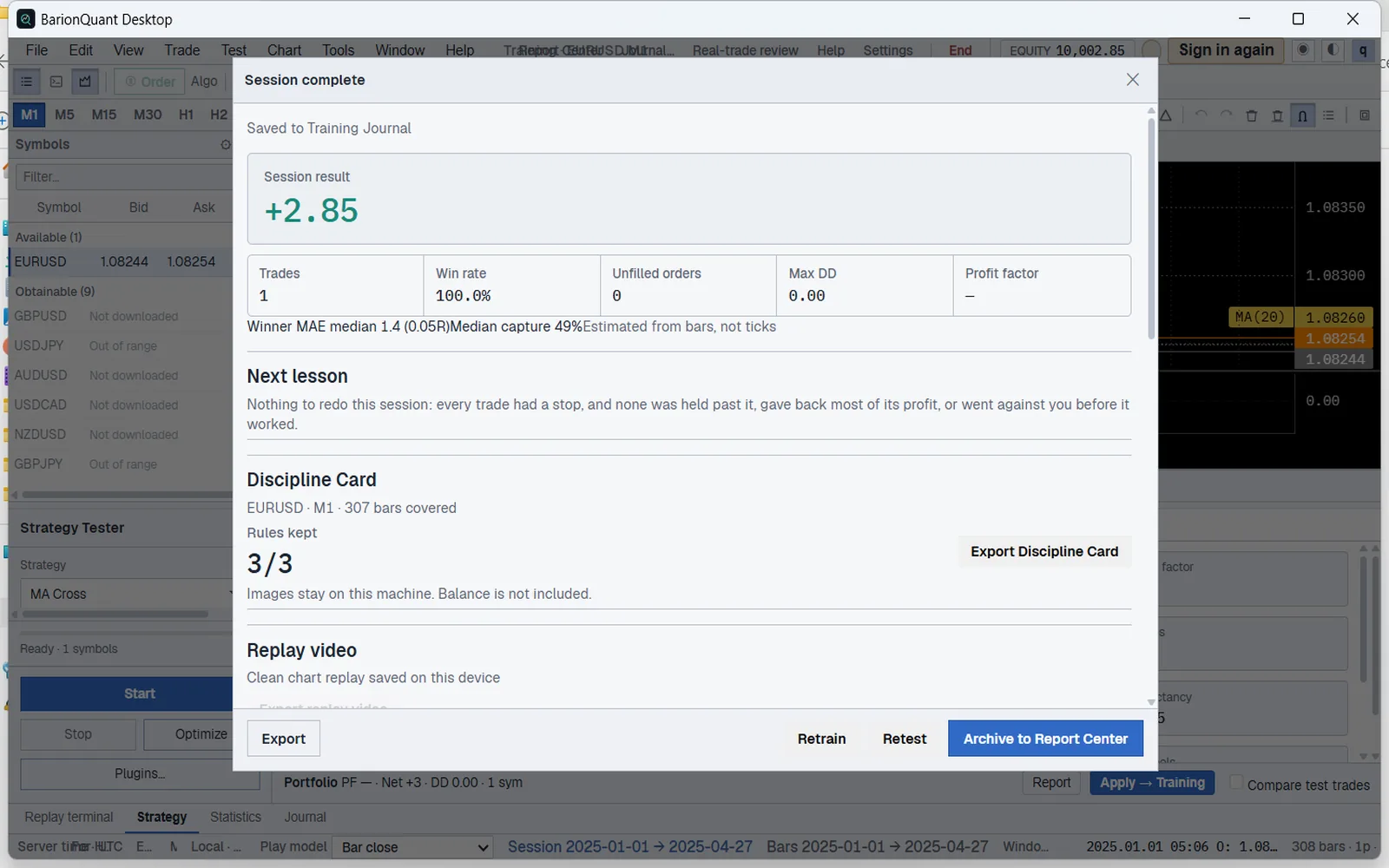
Already on 0.1.2? It keeps working, and the app will offer this update.
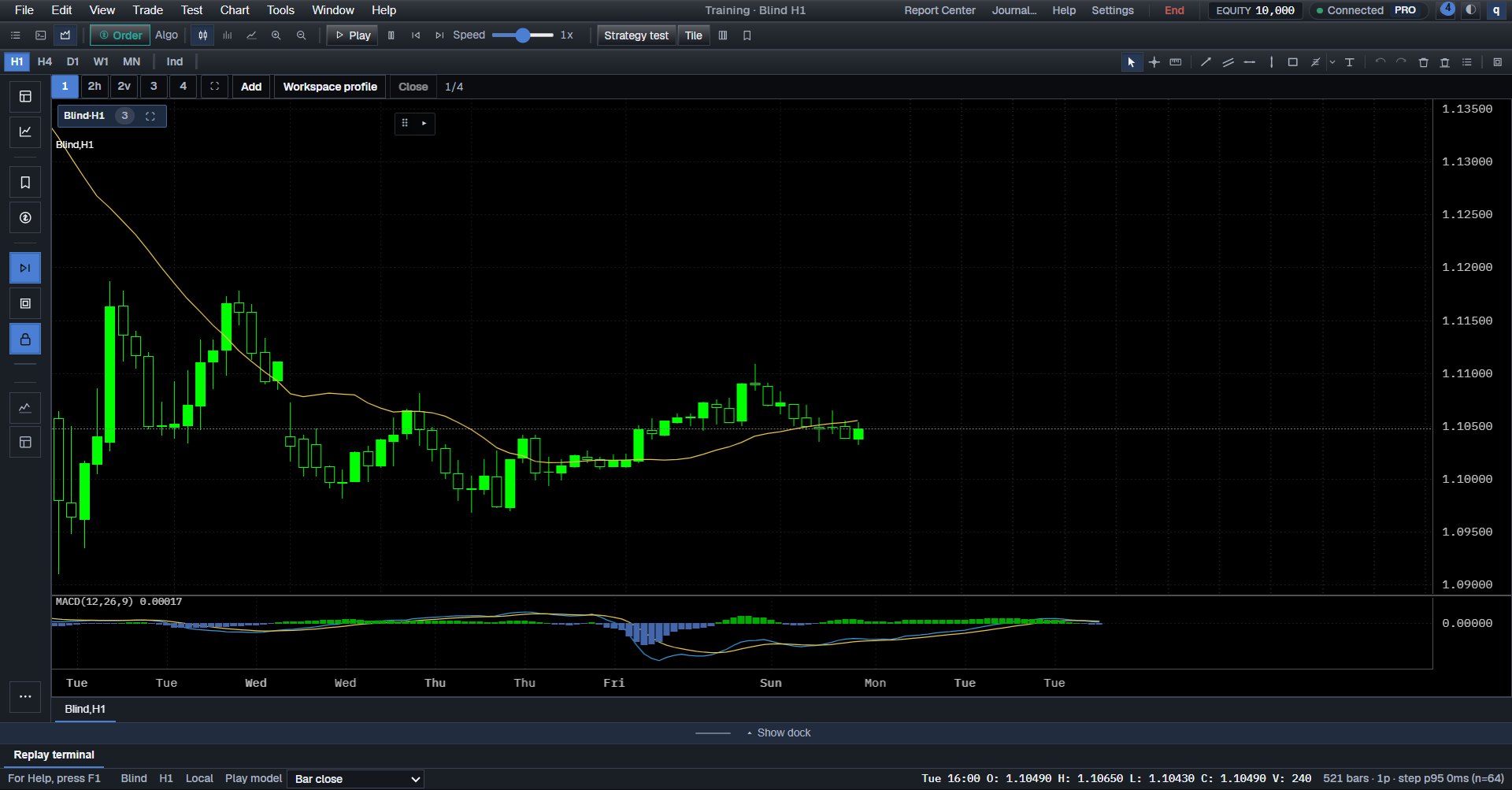
The name stays hidden
A random 90–180 day window. The symbol and the calendar stay hidden. Prices stay on the scale.
1 / 7