Open a practice pack and play it yourself
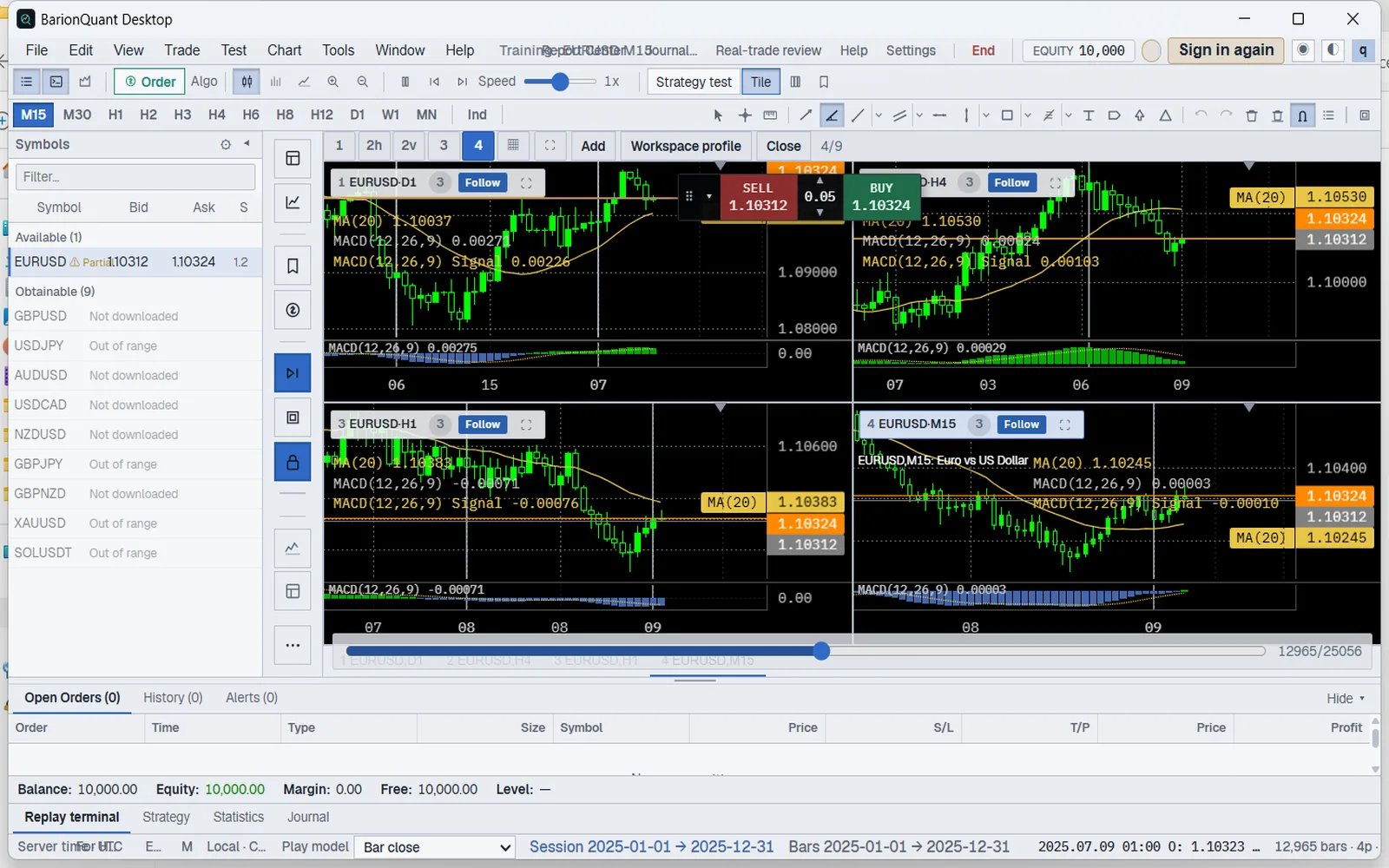
Double-click a .bqproj practice pack. It opens the same setup and you trade it forward from the start.
New in 0.1.3
Double-click a .bqproj practice pack. It opens the same setup and you trade it forward from the start.
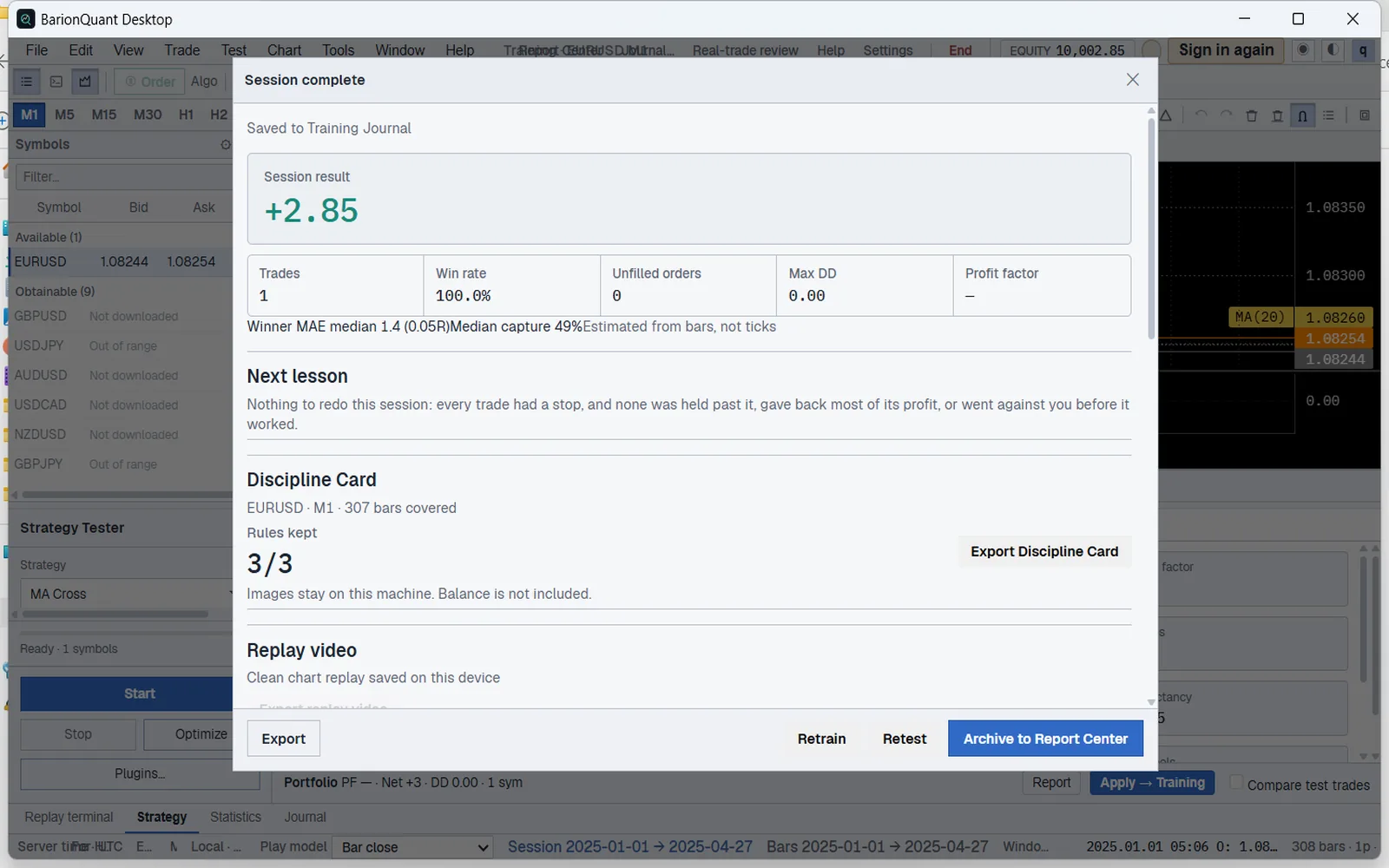
Export a finished session as a short replay clip to review or share.
See four timeframes on one screen. After you close a trade, the review shows its MAE, the furthest the price moved against you.
Already on 0.1.2? It keeps working, and the app will offer this update.
Install → sign in → pull EURUSD for practice.
…
The current public build is Windows.
macOS and Linux builds are not published yet.
Still comparing desktop replay options? Soft4FX alternative — local desk, not another MT terminal
This sitting: do not open Indicators, and do not place an order.
The installer is not code-signed yet. Compute its SHA-256 with the PowerShell command below and compare it with the official hash on this page before running. Training records are written to a local SQLite database; the app connects to api.barionquant.com only for your account and plan, and never asks for broker credentials.
All training session trades, journals, and rubrics are written directly to your local SQLite database. Nothing is sent to cloud servers.
BarionQuant is an offline rehearsal desk. We never ask for live trading account logins, MT4/MT5 passwords, or API secret keys.
After you sign in, replay keeps working offline for up to 72 hours. Reconnect briefly to refresh your plan; your data never leaves this computer.
Native Rust desktop app. No bundled toolbars, third-party miners, or ad popups. Crash reporting is off by default.
Get-FileHash -Algorithm SHA256 .\BarionQuant_x64-setup.exeIf you see 'Windows protected your PC', this is Microsoft's standard reputation filter. Proceed safely in 2 clicks.
Three 2025 full-year 1-minute files: EUR/USD, spot gold, and BTC/USDT. Unzip and import in Data Center. Every plan can import. Free trains these files on H1 and D1. One-minute replay is Pro. No exchange API key. After sign-in, replay can stay offline for up to 72 hours.
Full year 2025 (2025.01 - 2025.12) continuous, daylight-saving aligned EUR/USD M1 bars. Open benchmark dataset formatted for offline training and format testing.
Composite OTC market quotes. Not an exchange-proprietary feed. Strictly for simulation, not financial advice.
Full year 2025 spot gold 1-minute bars, with closed-market gaps removed. Unzip and import in Data Center.
Composite OTC bullion price observations. 100% free offline training sample. Not an investment solicitation.
2025 full-year BTC/USDT 1-minute candles, 525,600 bars, no weekend break. An open benchmark for local import. Not the Binance month downloaded inside the app, and not an exchange quote.
Public market price observations. Educational simulation sample. Not affiliated with or endorsed by Binance. Not financial advice.
BarionQuant provides open benchmark market data strictly for offline software performance testing and educational training. We are not a commercial market data vendor and encourage an open Bring-Your-Own-Data (BYOD) workflow.
These starter packs are provided 100% free of charge strictly for demonstration, format parsing verification, and trading discipline simulation. Commercial resale is strictly prohibited.
The EUR/USD and gold files are composite OTC observations. They are not a proprietary feed from CME or NYSE. The BTC/USDT file is a separate public-price sample; see the crypto notice below.
BarionQuant Data Center is fully open and unbundled. Users retain complete freedom to import proprietary tick/M1 data exported from their preferred regulated broker (MT4/MT5/cTrader/CSV).
Historical prices represent past facts and do not guarantee future performance. Rehearsal results do not constitute financial or investment advice. For live execution validation, always verify on your broker's actual spread and liquidity feeds.
Binance, Bybit, and other digital asset exchange names are trademarks of their respective holders. BarionQuant is an independent local simulator with no affiliation or endorsement from any exchange. Crypto benchmark packages are historical public observations distributed under Fair Use solely for offline simulation.
Built with native Rust and GPU-accelerated canvas rendering. Consumes 70% less memory than conventional Electron platforms, running smoothly on laptops and pro multi-monitor desks.
| Specification | Minimum Requirement | Recommended Configuration |
|---|---|---|
| Operating System | Windows 10 64-bit / macOS 12 Monterey / Ubuntu 20.04+ | Windows 11 64-bit / macOS 14+ (Apple Silicon M1/M2/M3/M4) / Debian 12+ |
| Processor (CPU) | Dual-core 2.0 GHz Intel / AMD / Apple Silicon | Quad-core 2.5 GHz+ (Apple M-series or Intel Core i5/Ryzen 5+) |
| System Memory (RAM) | 4 GB RAM | 8 GB RAM or more (Handles 10M+ tick cache effortlessly) |
| Disk Space | 150 MB for client installation | 1 GB+ SSD space (For multiple years of tick/M1 market data) |
| Display Resolution | 1280 × 800 pixels | 1920 × 1080 (Full HD) or 4K with multi-monitor workstation |
Authoritative answers regarding security verification, data import, and offline simulation.