
The demo clock, and a tape you can run again
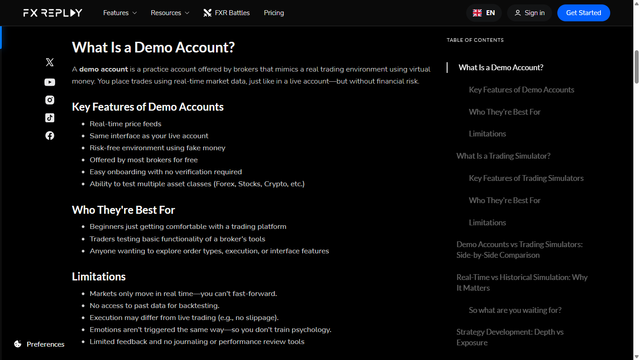
People comparing FX Replay with a demo account are asking which clock the practice runs on.
Direct answer
A demo account and a replay tape are not the same practice. On 2026-09-21, FX Replay's learn page says a demo is a practice account offered by brokers: virtual money, real-time market data, set up like a live account without the financial risk. Above the limitations, their feature list names real-time price feeds, the same interface as the live account, and a risk-free environment using fake money. It also says most brokers offer that demo for free, with no verification, across forex, stocks, and crypto. Their heading "Who They're Best For" points at beginners and at people learning the broker's tools. That heading is theirs. It is not a ranking from this page.
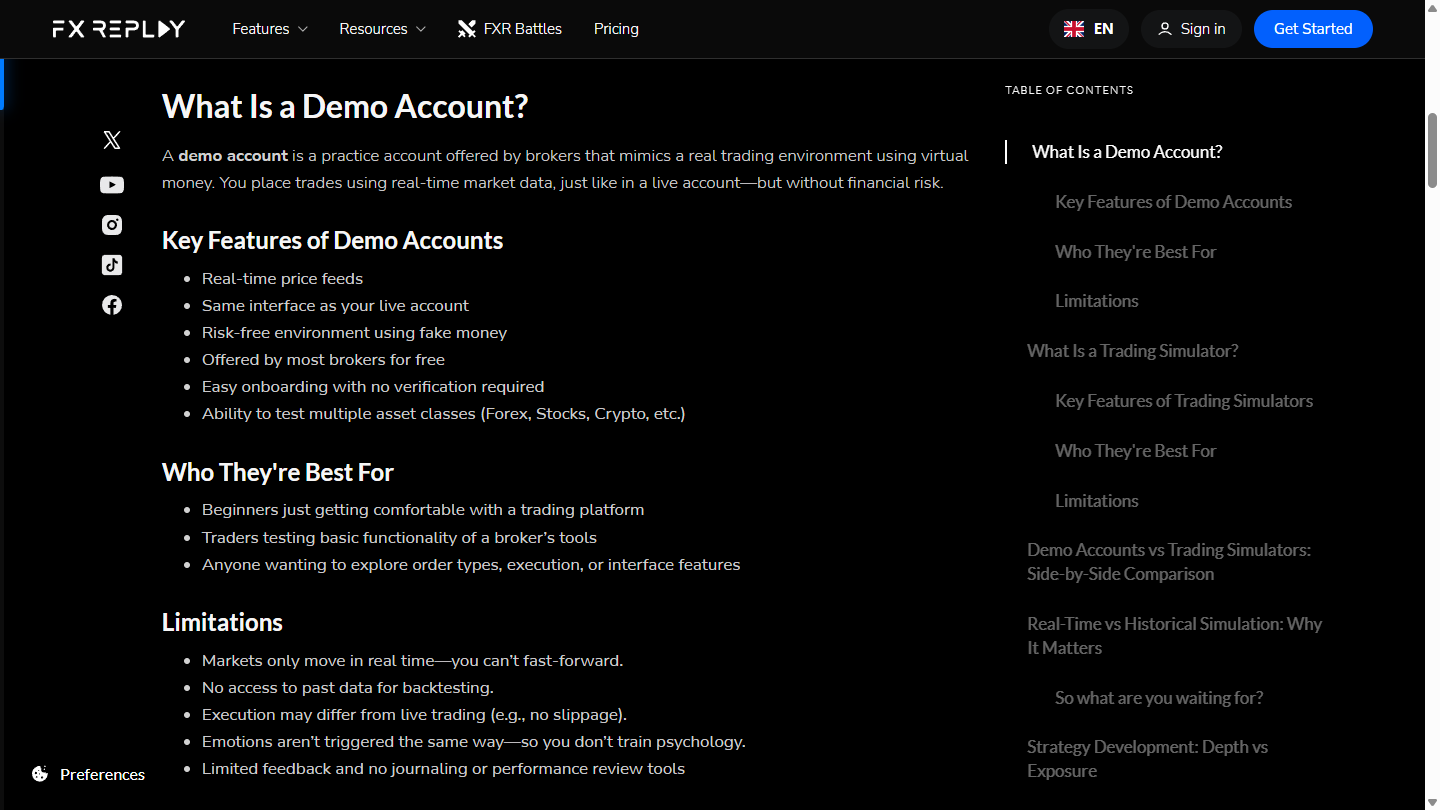
The limitation list in that picture is the part that answers the query. Markets only move in real time, so you can't fast-forward. There is no access to past data for backtesting. Execution may differ from live trading, and their example is no slippage. Emotions are not triggered the same way, so that sitting does not train psychology. Feedback is limited, with no journaling or performance review on that list.
If the next bar has to be the bar printing now, you are on a demo, or on a live account. If you need last Tuesday again, you need a tape.
How to judge
Which clock is the drill on?
The first picture says the demo clock cannot fast-forward. The next picture defines a trading simulator as a tool that replays historical market data and lets you simulate trades at any point in time. You control the speed: pause, rewind, fast-forward, and compress months or years into hours. The following paragraph says simulators are built to train execution, psychology, and pattern recognition, and that you are performing, not only watching.
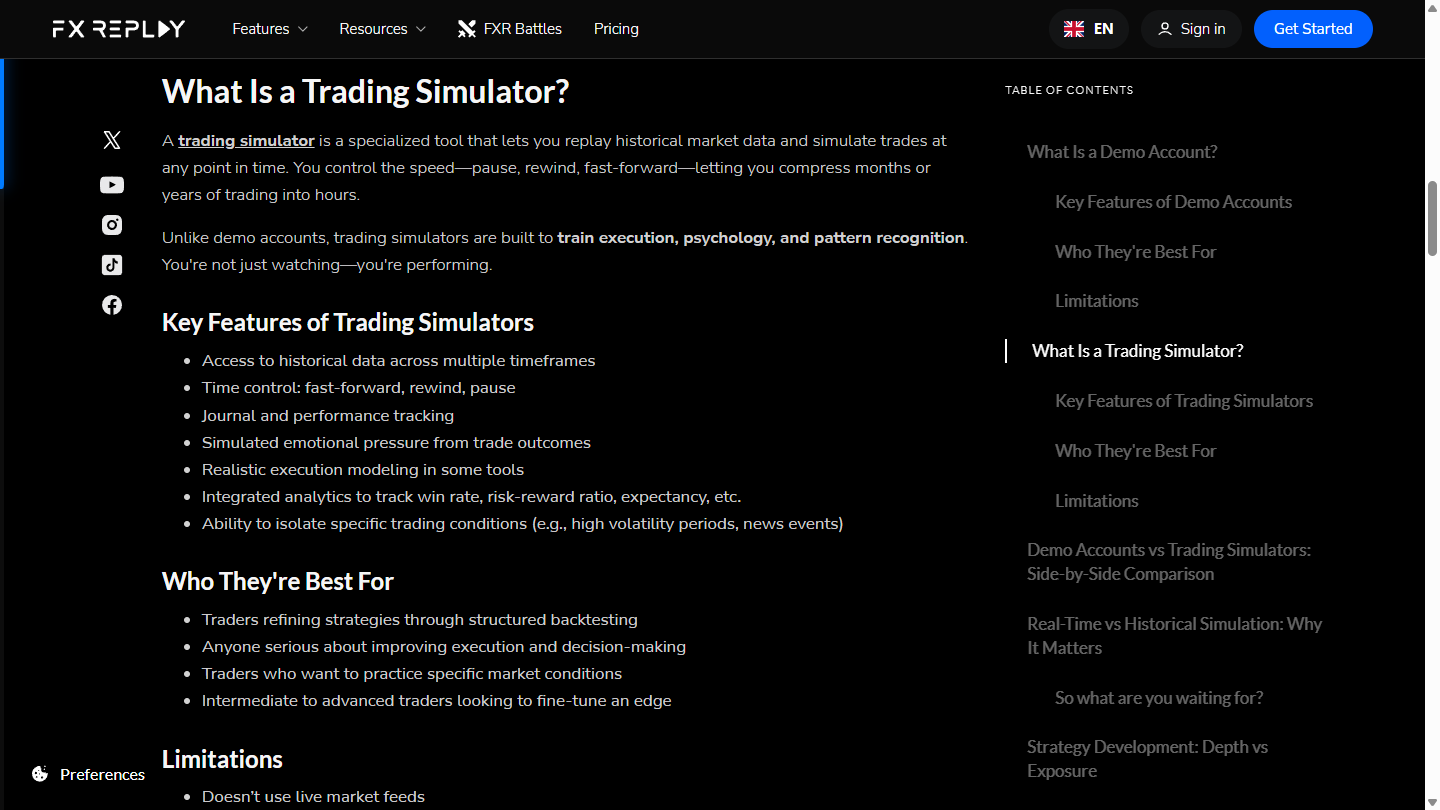
That limitation is the honest gap. Their page says a simulator doesn't use live market feeds. A Windows desk that opens a saved session has the same gap. It will not show the quote printing this second.
The feature list in that picture also names journaling, simulated emotional pressure, execution modeling, analytics, and the ability to isolate specific conditions, such as a volatile stretch or a news event. Those sentences belong to their page. They are not a description of this desk. What this desk shares with that definition is the tape: historical bars, and the chance to pause or run them again.
Their heading "Who They're Best For" is their label, over backtesting and specific market conditions. This page does not rank who should buy.
Can you run the same hour twice?
The demo list says there is no past data for backtesting. The simulator list includes historical data across timeframes, and time control: fast-forward, rewind, pause. Repeating one stretch is the point of a tape. A demo cannot hand you that stretch again, because the clock already moved.
What happens when the live clock stops?
A demo follows the broker's market. When that market is closed, the demo has no new bar to print. A file from an earlier session still opens. Keep the demo for the days you need today's ticket. Do not ask it to rehearse a session that already ended.
What we do
BarionQuant is that tape, stored as files on a Windows machine. It is not a broker demo, and it is not their browser. Free practice starts on EURUSD. The seat after that is the handbook, on Pricing, not a signal service.
The method page for the same fork is "Repeat the tape — then touch a live feed." A demo teaches the broker's screen, and that classroom can stay open. The product fork, a cloud tab versus files, is "Cloud feed in the browser — or files on your machine." This page only separates the two clocks.
Leave the demo in place. Their paragraph is right that it is set up like a live account without the financial risk, and the limitation under it is also right: the fill can still differ. Use the demo when the job is the broker's buttons. Use the tape when the job is the same bars again.
Who should skip
Skip this page if you need the bid that is printing now, or the broker's order ticket. Open the demo. Skip it if you want a ranking, a monthly fee, or a verdict that picks a winner. This page does not quote either price.
Also skip it if you wanted a Mac build, or a replay that lives in a browser tab. This desk is Windows. The session is a file on that machine. It does not ship a 20-year official tick archive.
FAQ
Is a demo account the same as a real account?
Their demo paragraph says it is set up like a live account, with virtual money and real-time data, and without the financial risk. The limitation list in the same picture says execution may differ from live trading. Similar screen. Not the same fill.
Is a demo the same as replay practice?
No. The first picture says you cannot fast-forward, and you do not get past data. The second picture defines a simulator as historical replay with pause, rewind, and fast-forward. One clock. Then the other.
Does the simulator show the live feed?
The limitation in the second picture says it doesn't use live market feeds.
Should a demo feel like a wrong turn?
No. A demo is how you learn that broker's ticket. It is a real classroom. It will not rewind. Using one does not put you behind a tape.
Next step
Download the Windows build if you want the tape on the machine. Open Pricing if you want the seat. Their explanation stays on their learn page. Read it again the day you rely on a sentence from it.
Educational content. BarionQuant is not a broker and does not provide investment advice or trade signals. Past practice results do not predict future outcomes. The competitor page was read on 2026-09-21.
Related reading

Cloud feed in the browser — or files on your machine
6 min
Keep FX Replay if the browser tab is the classroom. Leave if you want a local Windows desk plus a handbook on the same seat.
Repeat the tape — then touch a live feed
5 min
Local replay first means the same bars can repeat — so you can tell process from luck before you touch a live feed.